January 13, 2026 – GOCare Weekly Product Updates
Quick Summary
This article highlights new Knowledge Base content published this week to support OutageIQ administrators and operators with common operational workflows, as well as details on the latest GOCare Connect UI.
Knowledge Base Updates
Manage Users and Access – GOCare OutageIQ – Products > OutageIQ > Admin
Explains how administrators manage user accounts, roles, permissions, and passwords within OutageIQ to ensure the right level of access for each team member.
Scheduling Maintenance – GOCare OutageIQ – Products > OutageIQ > Maintenance
Walks through how to schedule planned maintenance events in OutageIQ, including setting timeframes, messaging, and visibility to subscribers.
Clearing Maintenance – GOCare OutageIQ – Products > OutageIQ > Maintenance
Details how to properly clear or end maintenance events once work is complete, ensuring subscriber messaging and system status are accurately updated.
Inbox Experience Updates
Following feedback from the initial rollout of the new inbox design, several usability improvements have been made.
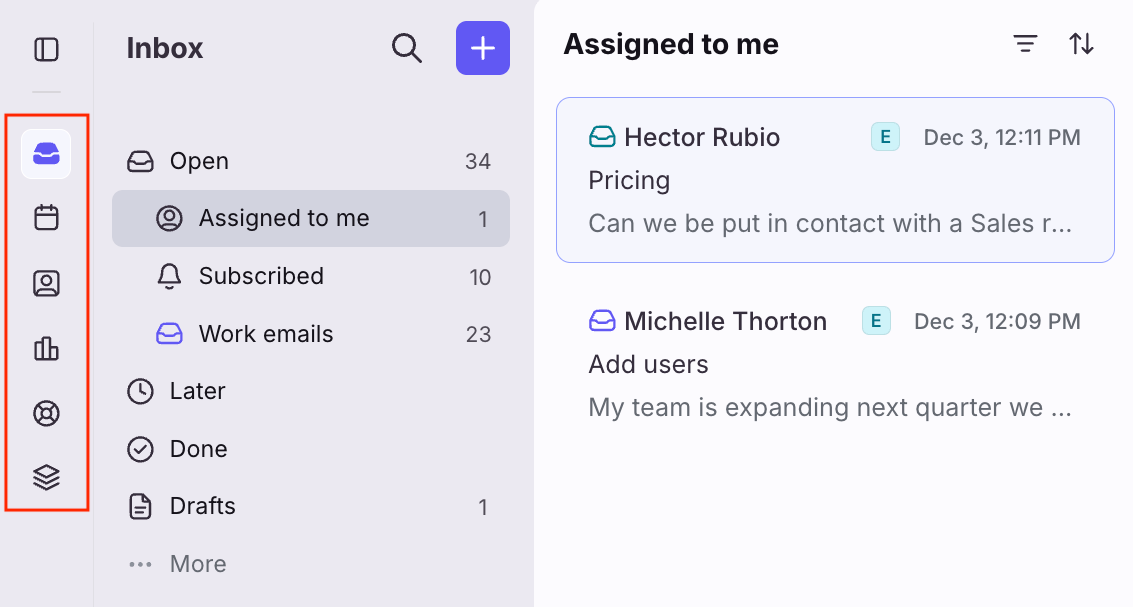
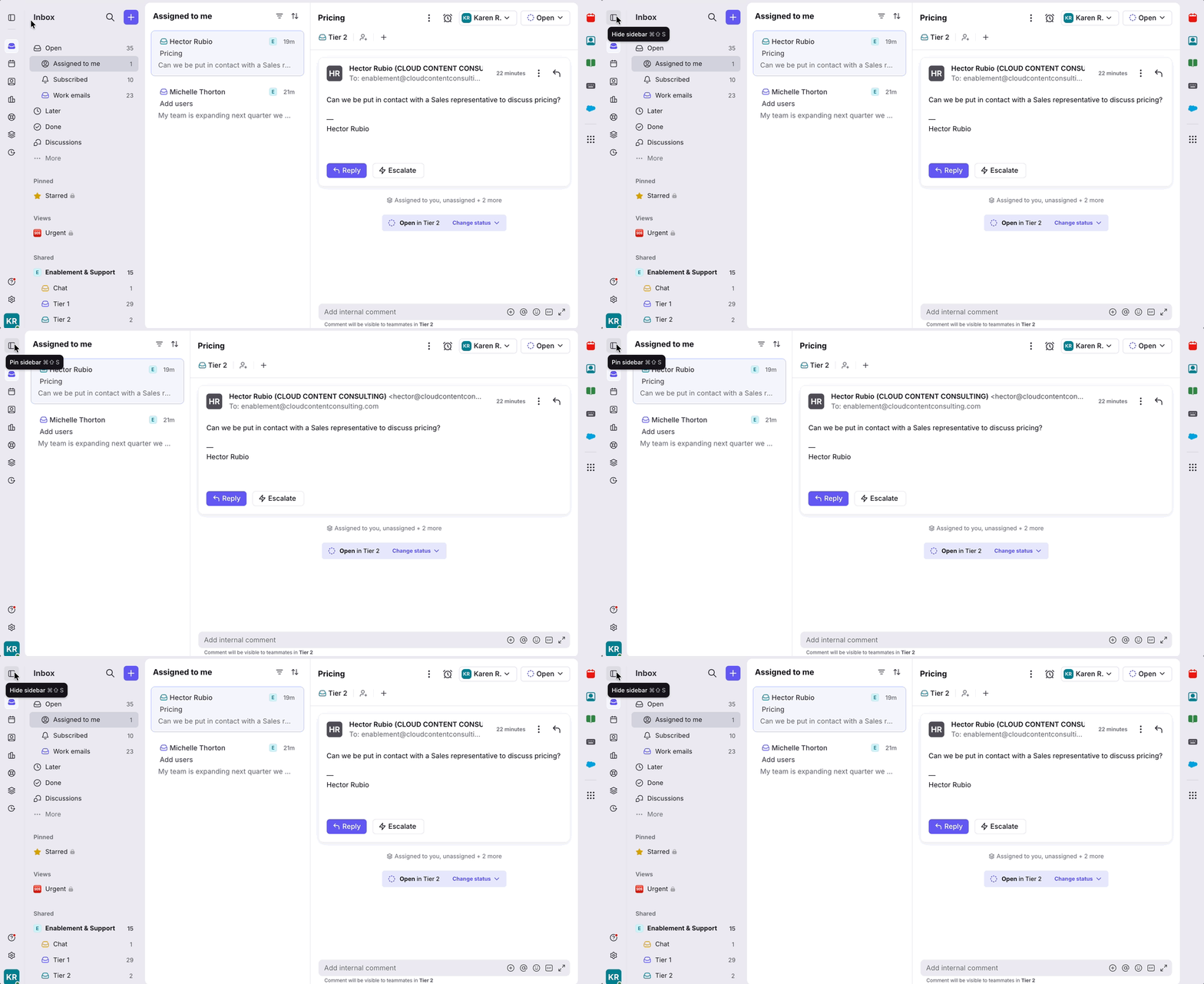
Sidebar updates
Icon-based navigation for tools such as calendar, contacts, and knowledge base
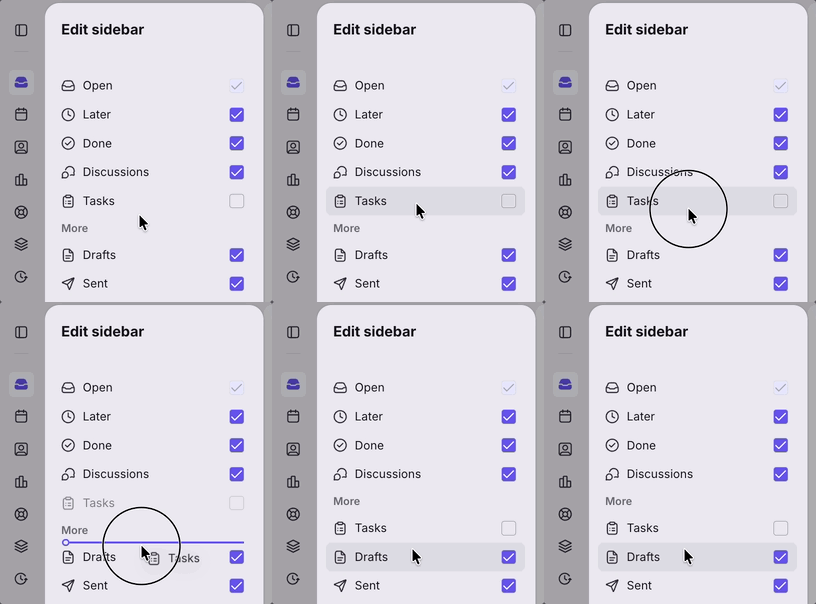
Ability to hide lesser-used individual workspace sections under a collapsible More menu
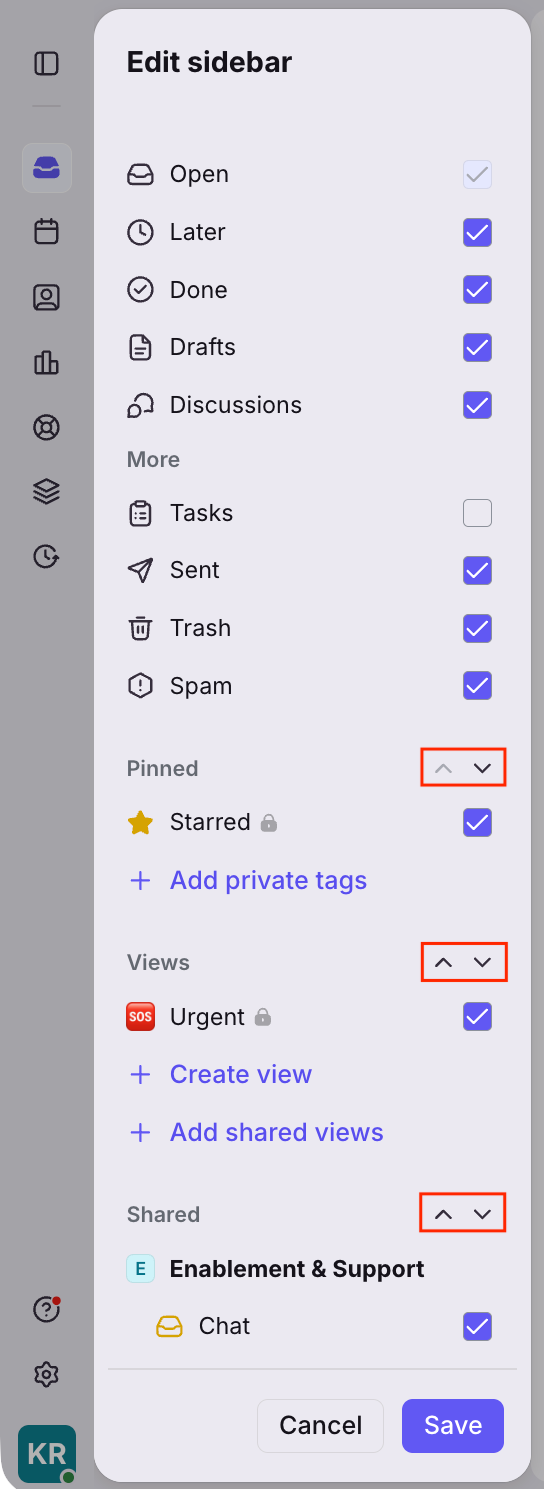
Reorder pinned, views, and shared section groups to match personal workflows
Collapsible sidebar to create more space for reading and replying, with hover-based access to inbox sections
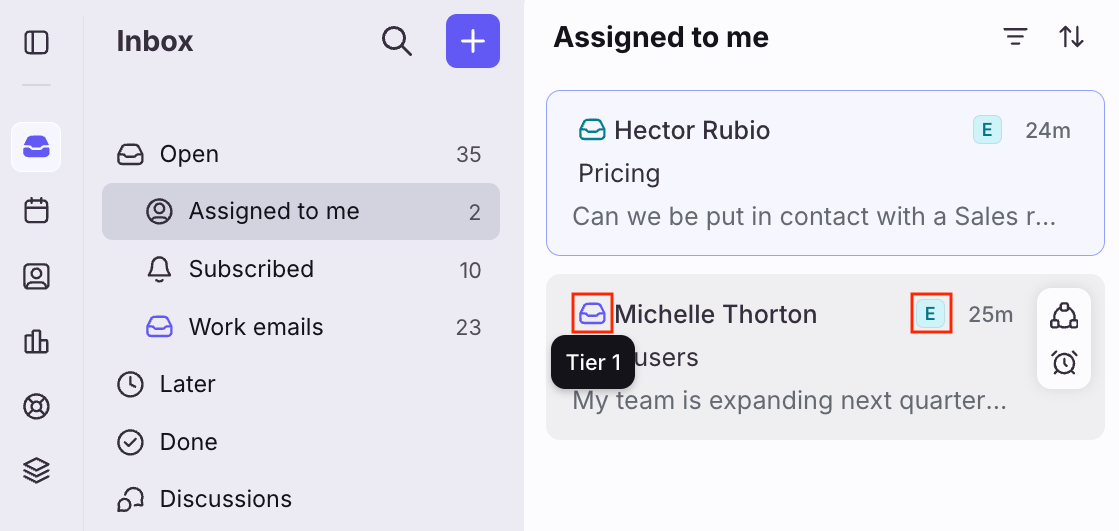
Conversation list updates
Inbox and workspace indicators to quickly identify where a conversation belongs
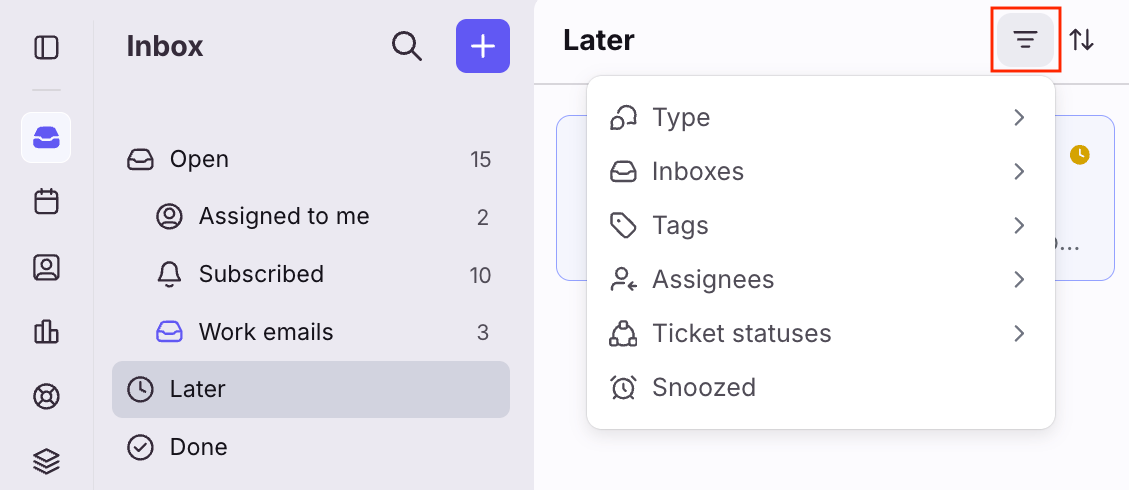
Filter controls to focus on specific inboxes, tags, or attributes
Flexible message timestamps, including relative time, exact time, and time goals
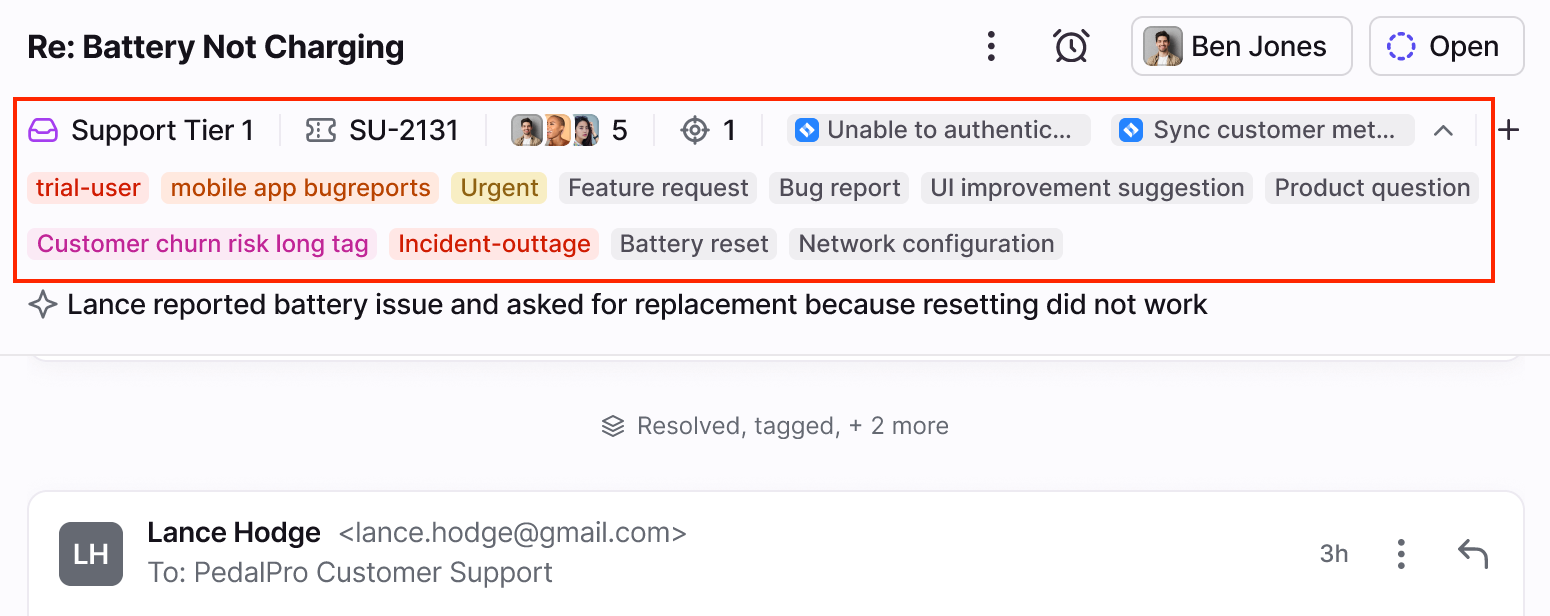
Conversation header updates
Expanded header view displaying all tags and application objects, with up to three lines of visible information
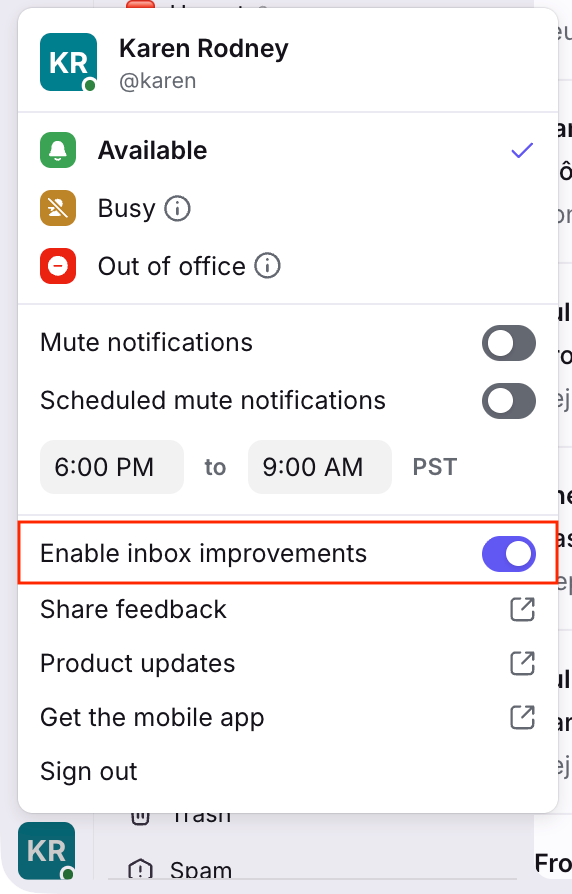
How to Enable the New Experience
To enable the updated inbox design, click your account icon in the bottom left corner and toggle on Enable inbox improvements. You can switch back and forth between experiences at any time until February 9, 2026, when the new design will become permanent.