
Clearing Maintenance – GOCare OutageIQ
Quick Summary
Clearing maintenance in OutageIQ is used to either cancel a scheduled maintenance event before it begins or end an active maintenance event early when work finishes ahead of schedule. Scheduled maintenance events automatically complete at their end time and do not require manual action.
Maintenance clearing ensures accurate system records and consistent subscriber communication when plans change or work is completed sooner than expected.
How Clearing Maintenance Works
Maintenance events in OutageIQ are managed at the group level, meaning all subscribers included in the maintenance declaration are cleared together.
Clearing maintenance is not required when a maintenance event reaches its scheduled end time. If no action is taken, the system will automatically complete the maintenance at the configured end time.
When maintenance is cleared early or canceled:
Subscriber status returns from MAINTENANCE to NORMAL (if already active)
A maintenance completion notification may be sent (for active maintenance)
The event is updated in the Event Timeline and Event History
Clearing maintenance does not require declaring a new event and does not affect unrelated outages or future maintenance events.
ℹ️ Note: Clearing maintenance is typically used only when canceling a future maintenance or ending an active maintenance early.
How to Clear Maintenance
To clear a scheduled or active maintenance event, follow these steps:
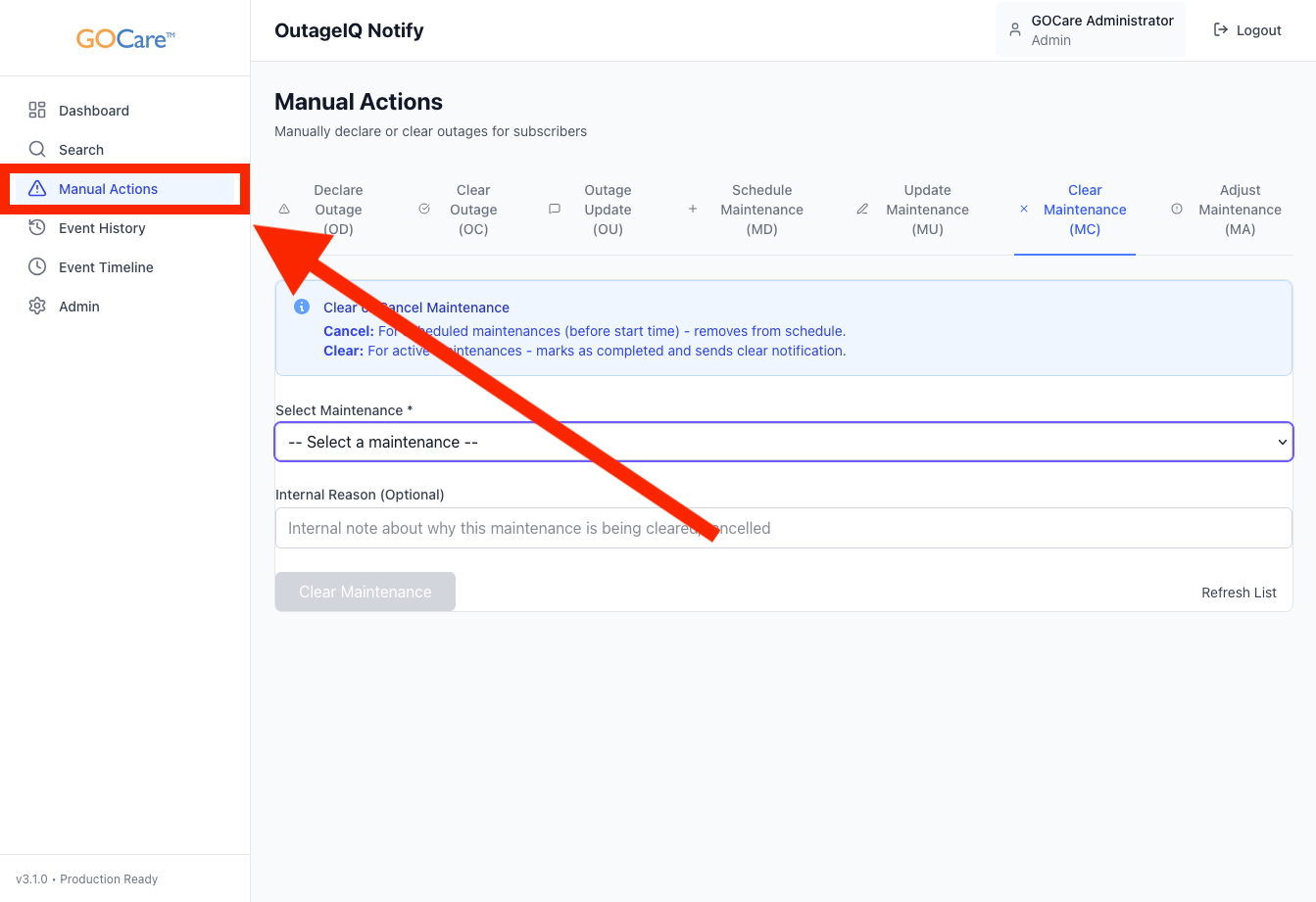
Select Manual Actions from the OutageIQ sidebar.
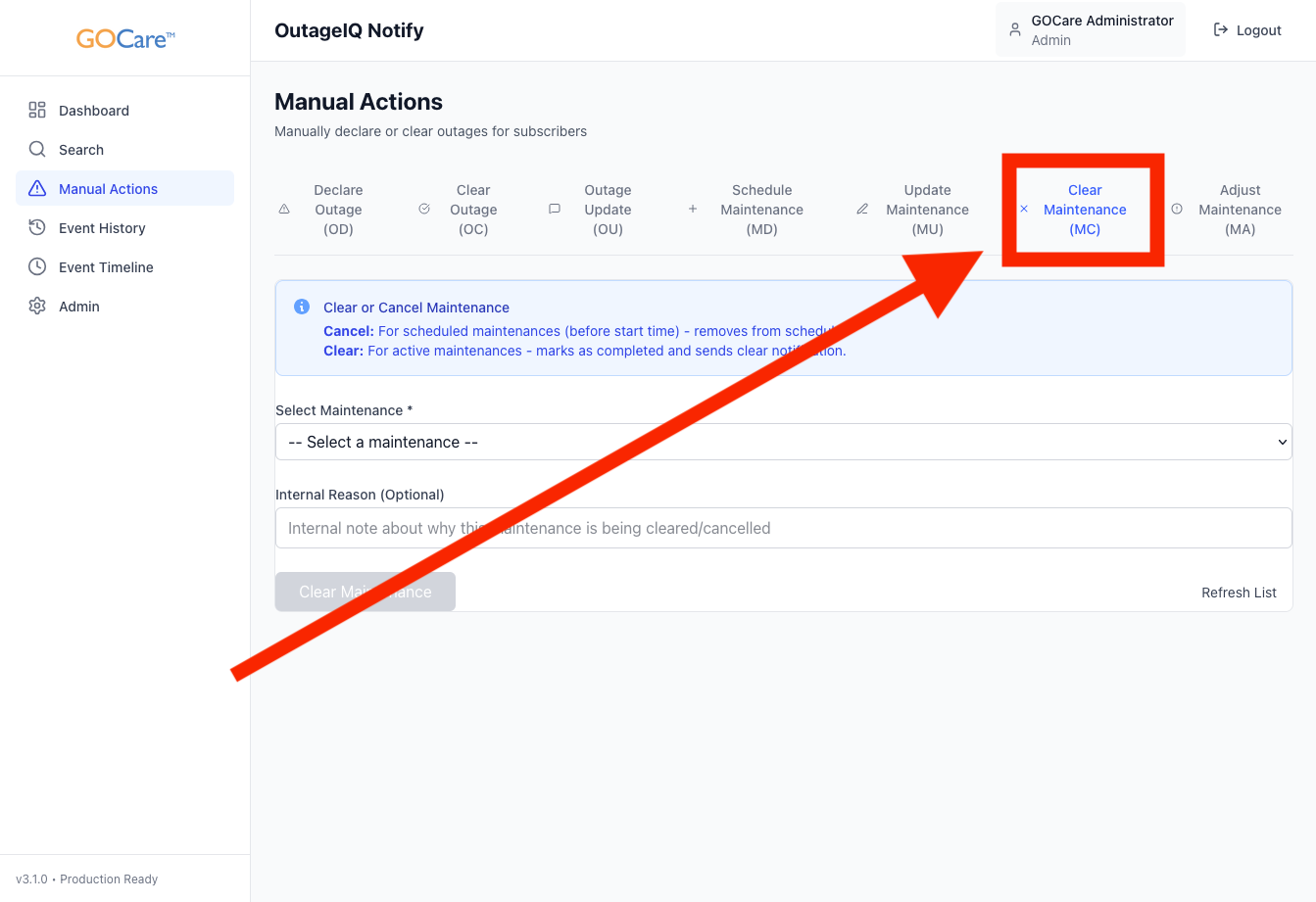
Select Clear Maintenance (MC).
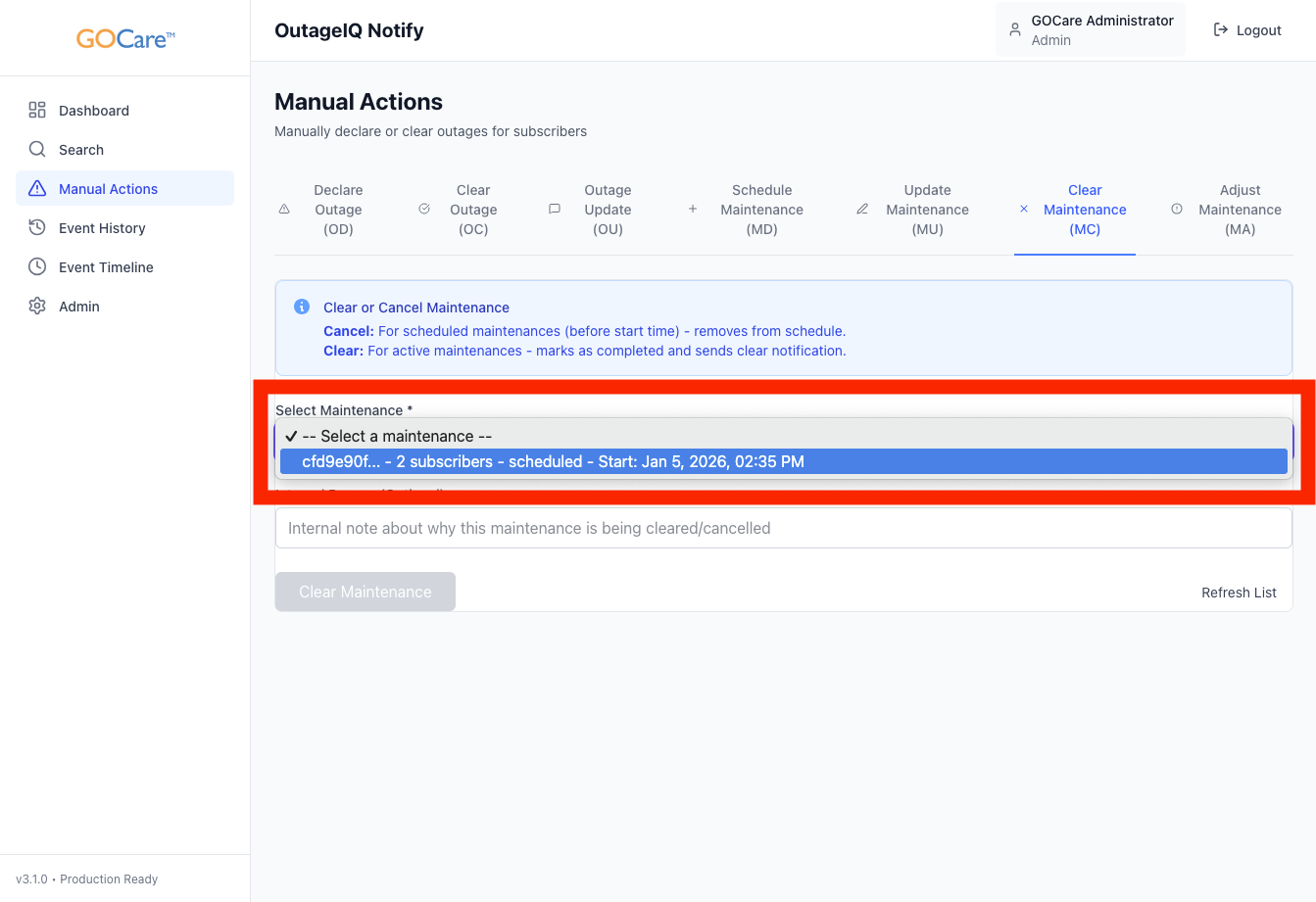
Select the maintenance event to clear from the dropdown menu.
Review the maintenance details and affected subscriber count.
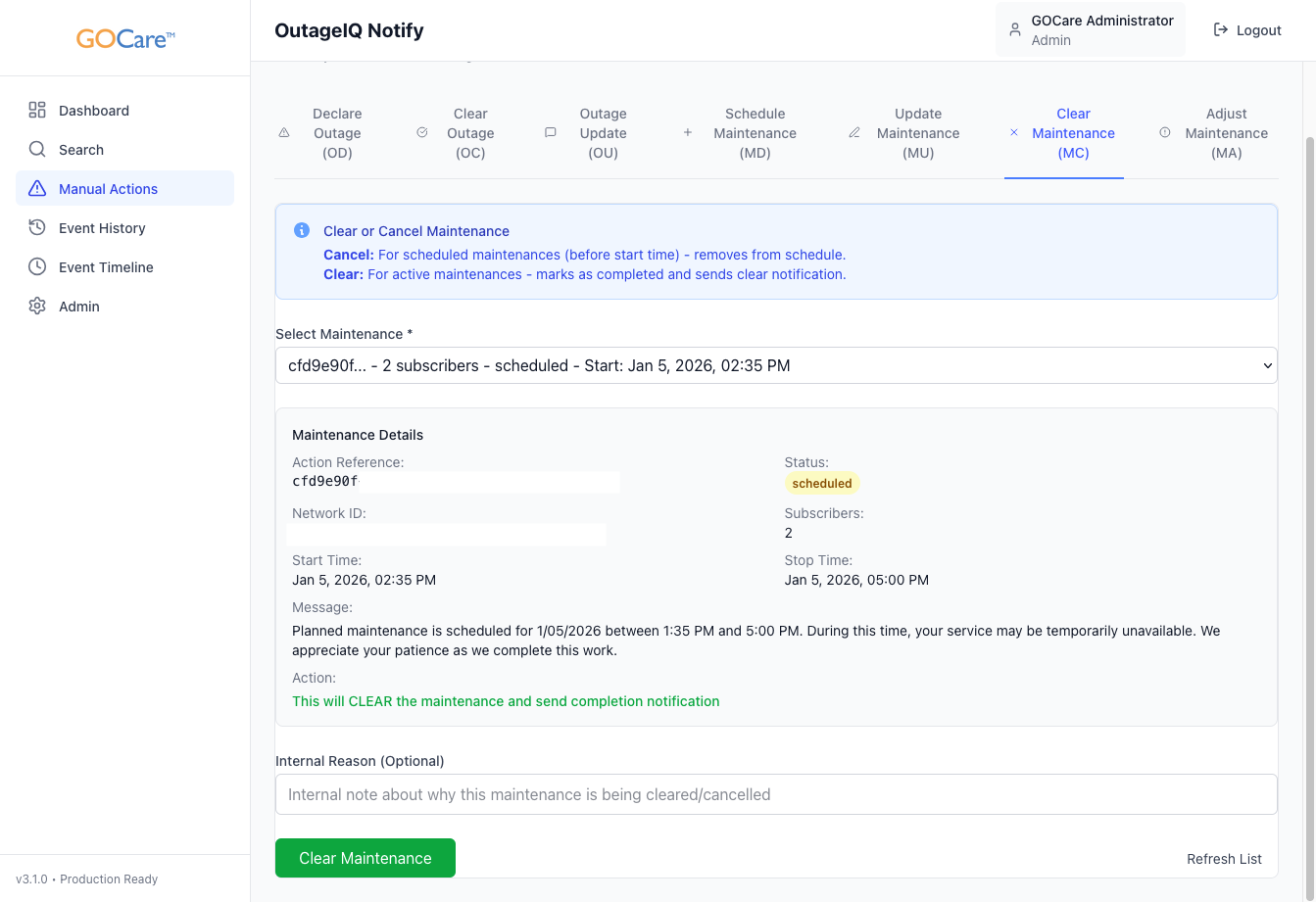
Optionally add an internal note documenting completion details.
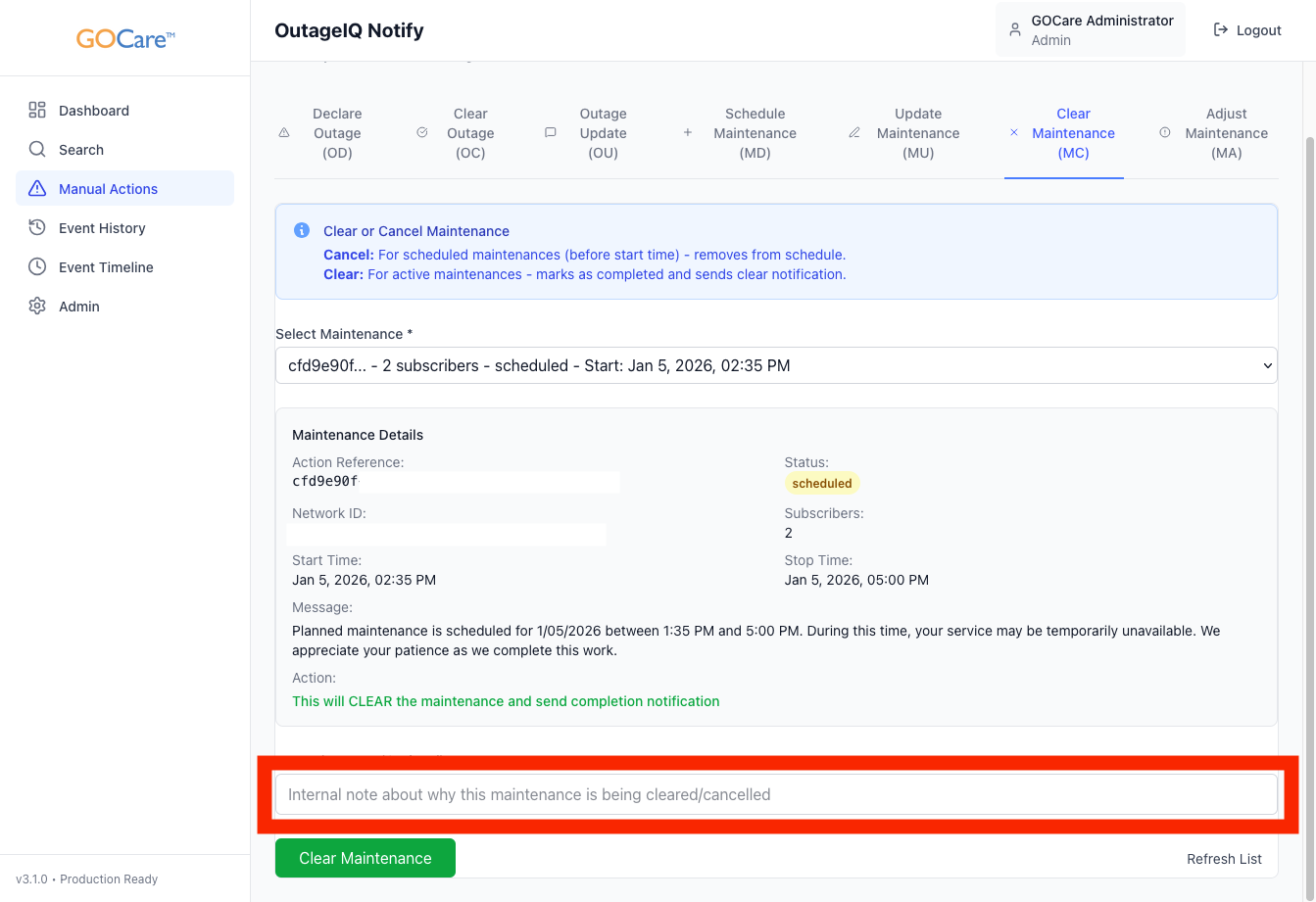
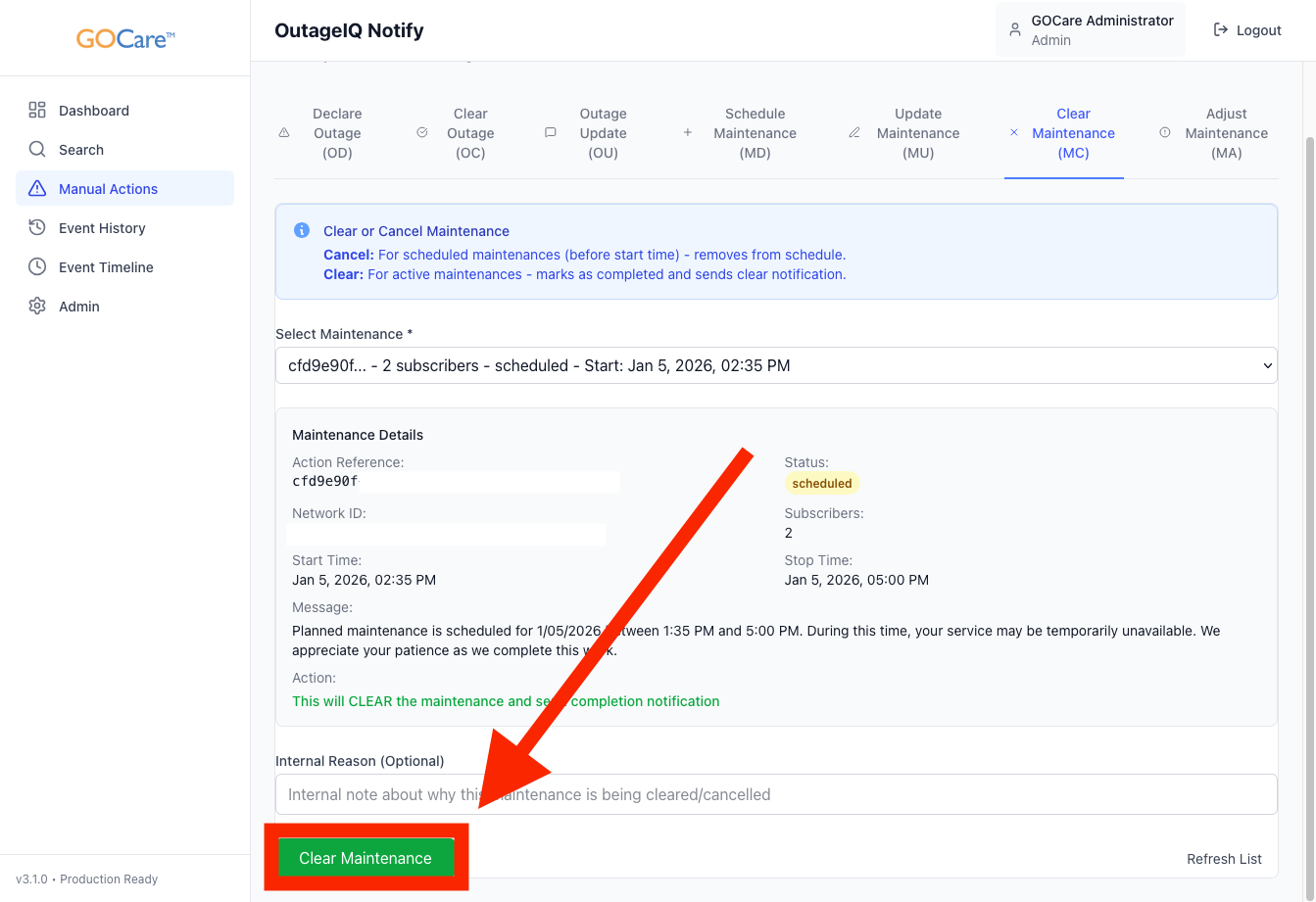
Select Clear Maintenance.
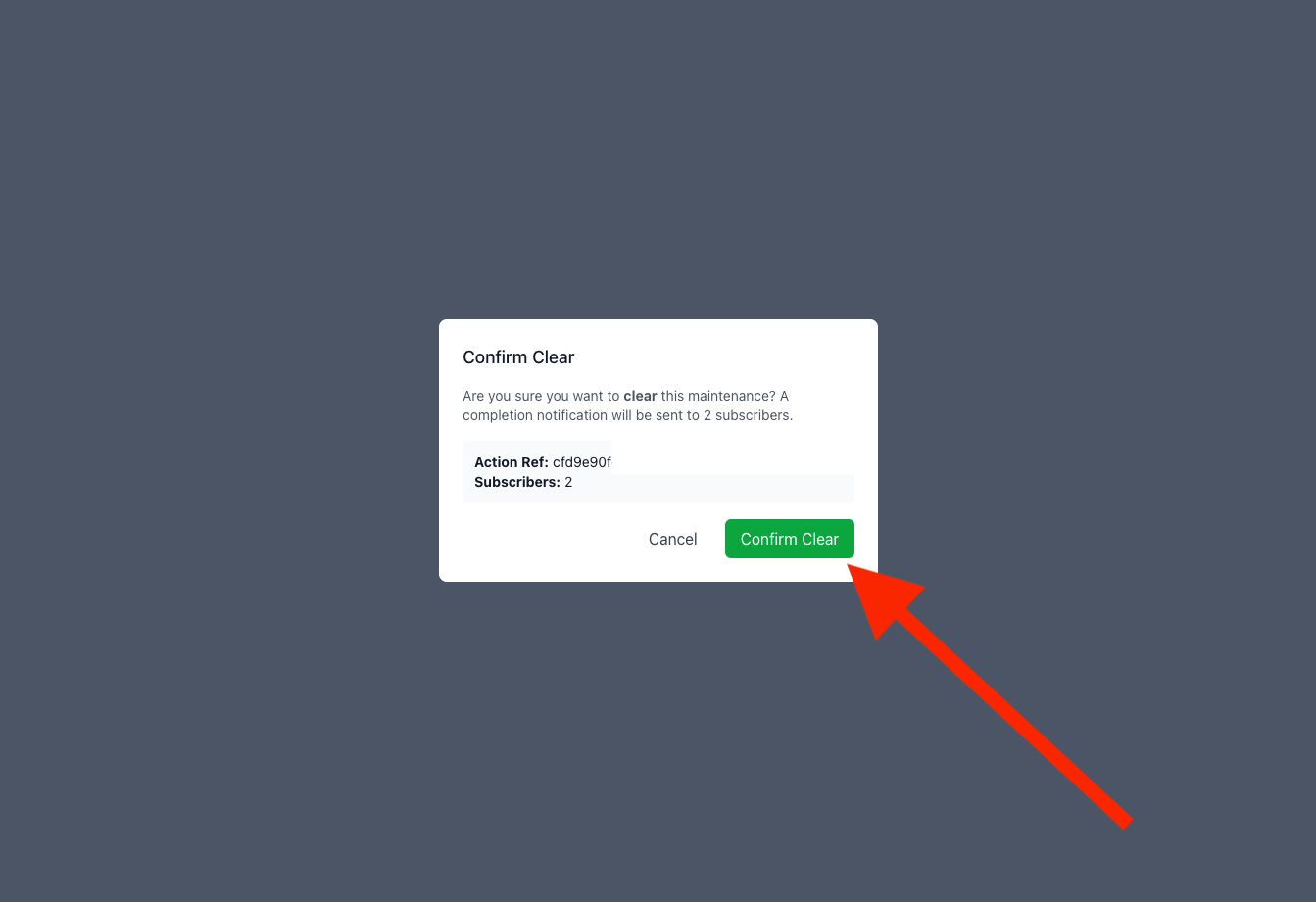
Confirm the action when prompted.
A green success bar will indicate that the maintenance has been cleared successfully.
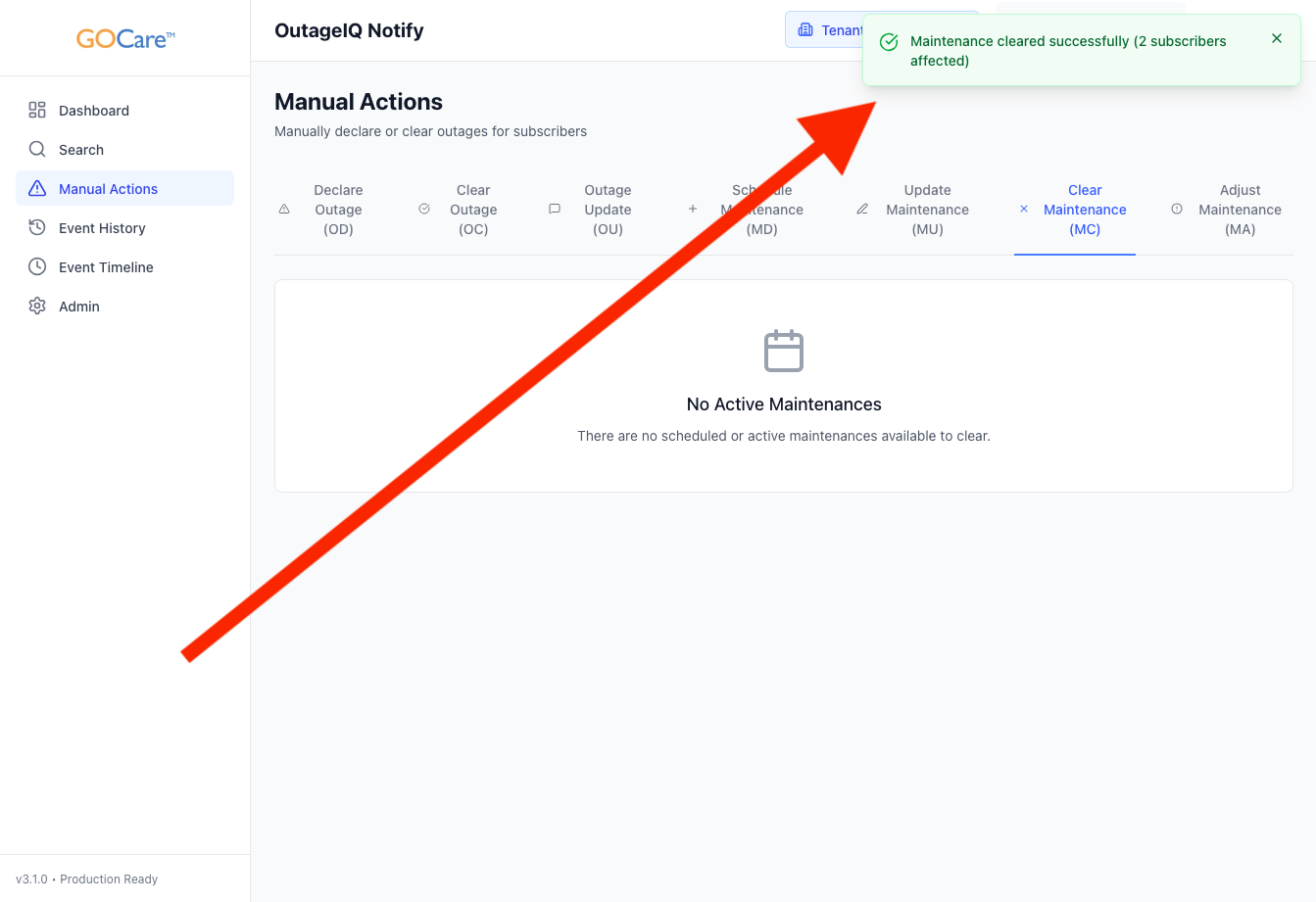
Once cleared, the event will be reflected in the Event Timeline and Event History.
Clear vs Cancel Maintenance
OutageIQ uses the same action to manage both canceling scheduled maintenance and clearing active maintenance. The outcome depends on when the action is performed.
Canceling Scheduled Maintenance
If a maintenance event is cleared before its scheduled start time, the event is treated as canceled.
When maintenance is canceled:
The event is removed from the maintenance schedule
Subscribers do not receive maintenance start or completion messages
Subscriber status does not change to MAINTENANCE
Canceling maintenance is appropriate when planned work is postponed or no longer required.
Clearing Active Maintenance
If a maintenance event is cleared after the maintenance window has started, the event is treated as completed.
When active maintenance is cleared:
Subscriber status returns from MAINTENANCE to NORMAL
A maintenance completion notification is sent
The event is marked as completed in the Event Timeline and Event History
Clearing active maintenance is appropriate when planned work finishes earlier than expected.
ℹ️ Note: The same workflow is used for both canceling and clearing maintenance. The system determines the outcome based on whether the maintenance window has started at the time the action is taken. If a maintenance event reaches its scheduled end time with no action taken, it will automatically complete.
Best Practices
Clear maintenance only when canceling a future event or ending active maintenance early.
Allow scheduled maintenance to complete automatically at the end time when no changes are needed.
Use internal notes to document completion details or unexpected findings.
Verify subscriber impact before clearing to ensure work has fully concluded.
Coordinate with support teams so they are aware maintenance has ended.
💡 Tip: If maintenance transitions into an unexpected service disruption, clear the maintenance event and declare an outage instead.