
December 9, 2025 – GOCare Weekly Product Updates
Quick Summary
This week’s updates introduce refreshed Knowledge Base content for OutageIQ, including a new step-by-step outage declaration guide. We’ve also released an enhanced AI prompting experience in the Connect composer (Enterprise plan only), with additional Connect UI updates and more OutageIQ documentation coming soon.
New Features
AI Prompting in Composer – Connect
Connect now includes a ChatGPT-style prompting experience directly inside the composer. Users can draft replies, rewrite selected text, or iterate on a message without leaving the conversation. This feature is available exclusively on the Enterprise plan for Connect.
Knowledge Base Updates
What Is GOCare OutageIQ? – OutageIQ → Overview
Updated to reflect the newest UI and provide clearer product orientation.
Declaring an Outage – GOCare OutageIQ – OutageIQ → Getting Started
Covers how to declare an outage manually or through CSV upload, including required formats and step-by-step instructions.
Coming Soon
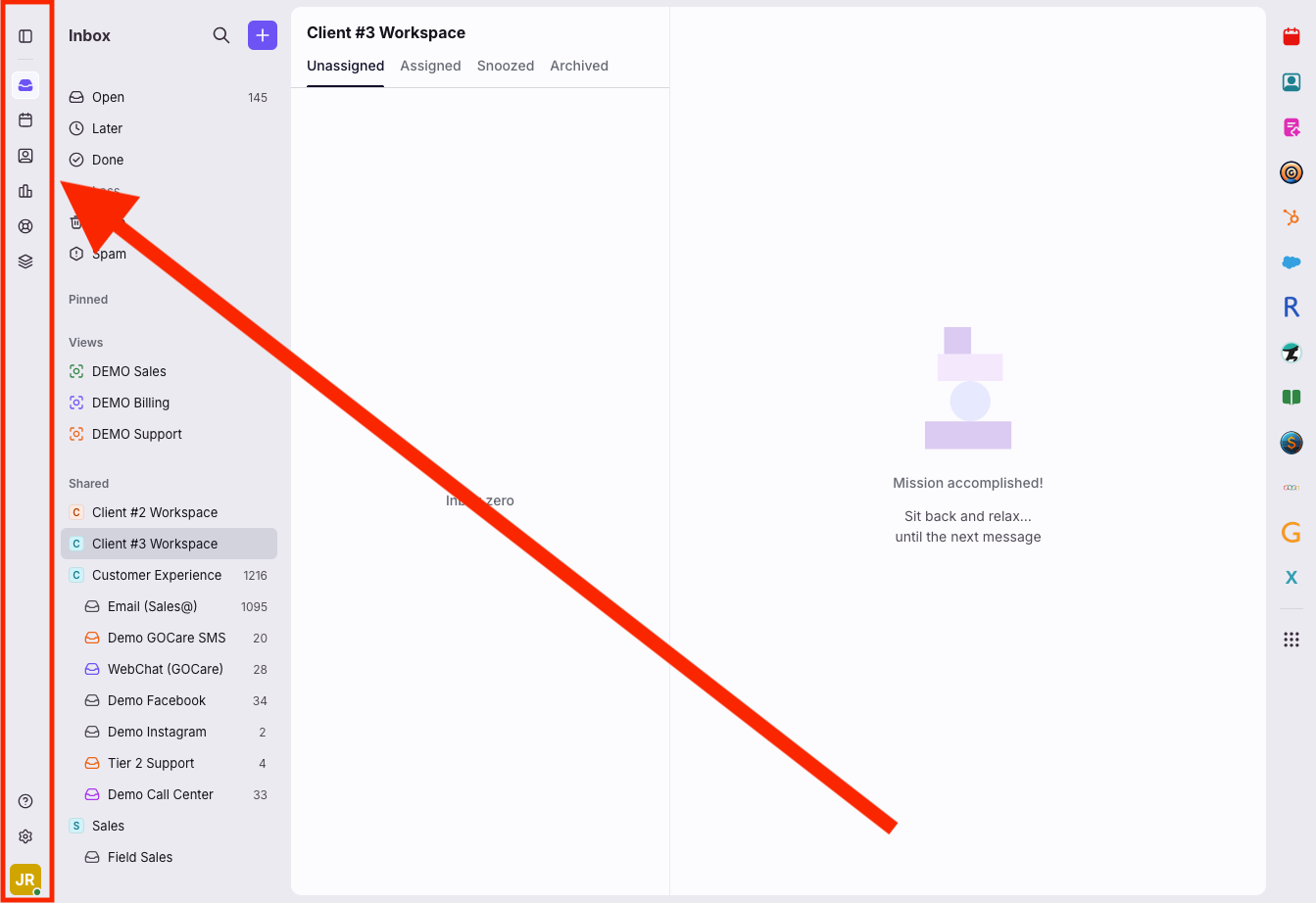
Vertical Navigation & Layout Updates – Connect
A new left-side vertical navigation is in development. This update will add Tasks and Discussions back into the sidebar, move shared inboxes, relocate individual workspace sections under the More menu, introduce inbox and workspace indicators within the conversation list, and allow up to three lines of app objects and tags to be visible in the conversation panel.
Additional OutageIQ Documentation – Knowledge Base
More OutageIQ Knowledge Base content will be released over the next two weeks, including step-by-step tutorials for additional OutageIQ features and workflows.