
December 23, 2025 – GOCare Weekly Product Updates
Quick Summary
This article outlines this week’s updates across GOCare Connect and OutageIQ. It includes new admin-level workflow controls, expanded analytics, inbox experience improvements, and the release of a new version of OutageIQ with multiple fixes and UI enhancements. One new OutageIQ Knowledge Base article was also published: Providing Updates During an Outage.
New Features
Company-level macros and rule templates – GOCare Connect
Company admins can now create macros and rule templates that apply across all workspaces. A new centralized company rule library makes it easier to manage shared workflows and ensure consistency organization-wide.
Two new company rule templates are now available:
Mirror in inbox: Automatically display conversations in both individual and shared inboxes without moving them, increasing visibility and enabling AI features for individual inboxes.
Block outbound messages: Prevent outbound messages from sending when specific conditions are met, keeping messages in draft mode until requirements are satisfied.
Voice analytics metrics – GOCare Connect
Managers and support leaders now have access to expanded voice metrics within analytics. These metrics are available in the Workload report and custom reports and include inbound calls, outbound calls, abandoned calls, missed calls, average call time, average talk time, average on-hold time, and average queue time.
Dialpad status sync – GOCare Connect
Teams can now sync user statuses between Connect and Dialpad. Users can see their telephony availability directly in Connect, and admins can control how call activity and status changes sync between systems. This allows Front availability and Out of Office statuses to automatically set call availability in Dialpad, helping teams avoid missed or misrouted calls.
Force clear outage (admin-only) – GOCare OutageIQ
A new Force Clear button is available on the Clear Outage tab within Manual Actions. This allows admins to clear outages that are stuck due to OD notification failures after service restoration. The action bypasses the normal OC notification flow, clears subscribers directly from the database, displays a warning that notifications will not be sent, and maintains a full audit trail for compliance.
Improvements
Workflow enhancements – GOCare Connect
Rules and macros now support forwarding messages using message templates, making it easier to include context and structured data when forwarding conversations. Admins can also test branching rules on existing conversations to validate conditions and actions before enabling them for the team.
Company rule library usability – GOCare Connect
The new company rule library helps admins quickly explore, configure, and standardize automations across both individual and shared inboxes, reducing duplication and improving governance.
CSV export for affected subscribers – GOCare OutageIQ
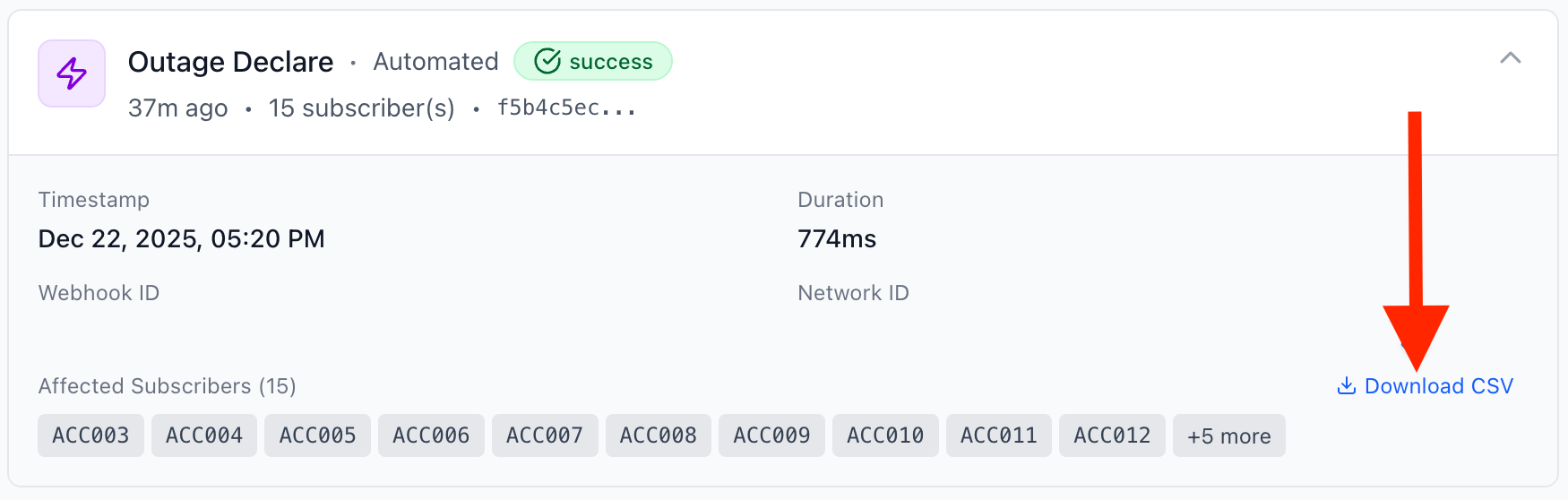
Event Timeline cards now display a Download CSV button when more than 10 subscribers are affected. The export includes account IDs, ONU serials, cities, and PON ports, with filenames automatically generated using the action type and timestamp.
Improved error handling – GOCare OutageIQ
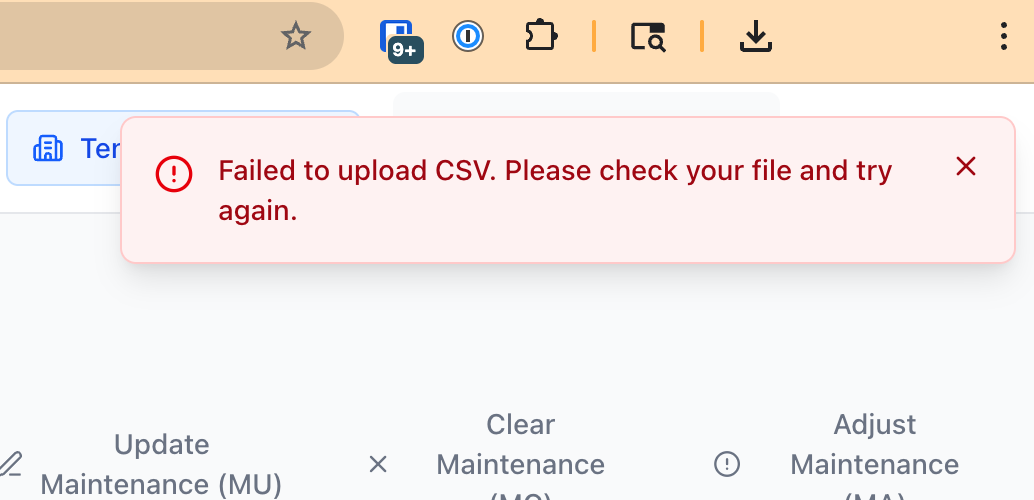
CSV upload errors now display clear, user-friendly validation messages instead of raw API errors. File upload feedback has been improved to help users quickly correct formatting issues.
Bug Fixes
CSV duration handling – GOCare OutageIQ
Resolved an issue where missing account numbers caused the interface to lock or display a blank screen. Events with null or undefined duration now display “N/A,” and users receive clear error messages when CSV data is improperly formatted.
Manual form submission – GOCare OutageIQ
Fixed an issue where the manual form incorrectly required both Account ID and ONU Serial. The form now only requires an Account ID to submit.
Maintenance scheduling timezone fix – GOCare OutageIQ
Corrected timezone handling so date and time inputs now use local time instead of UTC. Maintenance can now be scheduled as soon as one hour from the current local time, as intended.
Inbox Experience Updates
Following feedback from the initial rollout of the new inbox design, several usability improvements have been made.
Sidebar updates
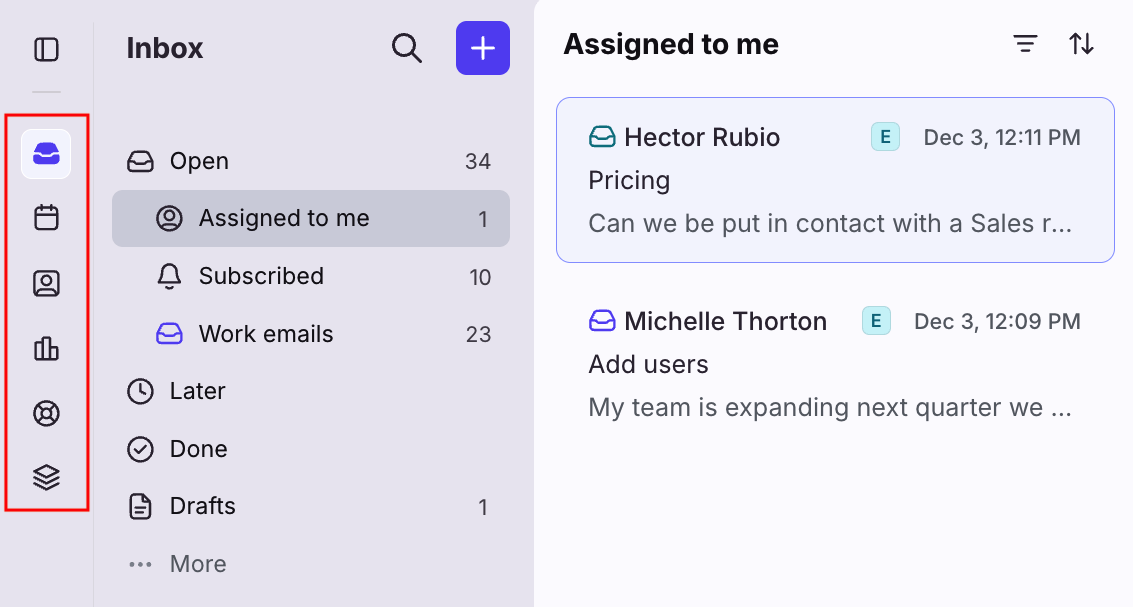
Icon-based navigation for tools such as calendar, contacts, and knowledge base
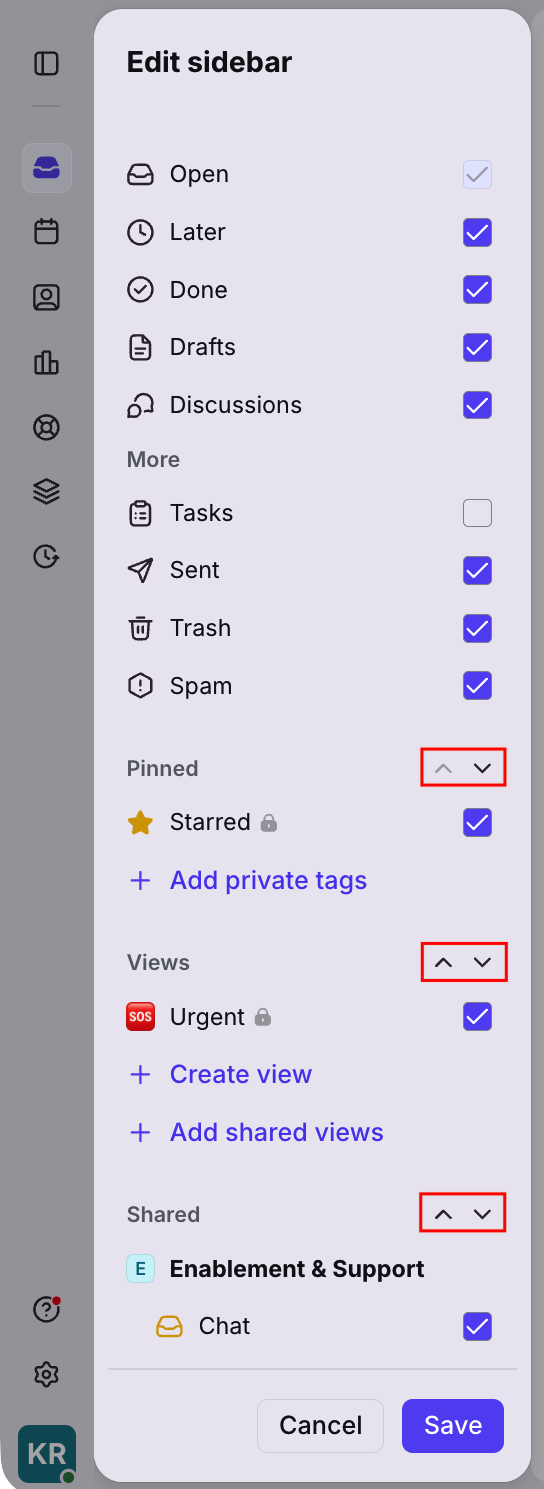
Ability to hide lesser-used individual workspace sections under a collapsible More menu
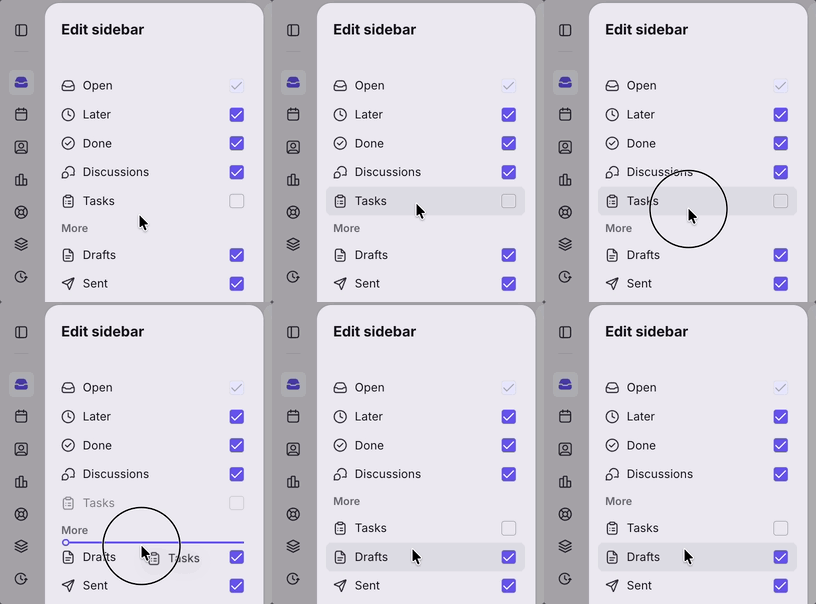
Reorder pinned, views, and shared section groups to match personal workflows
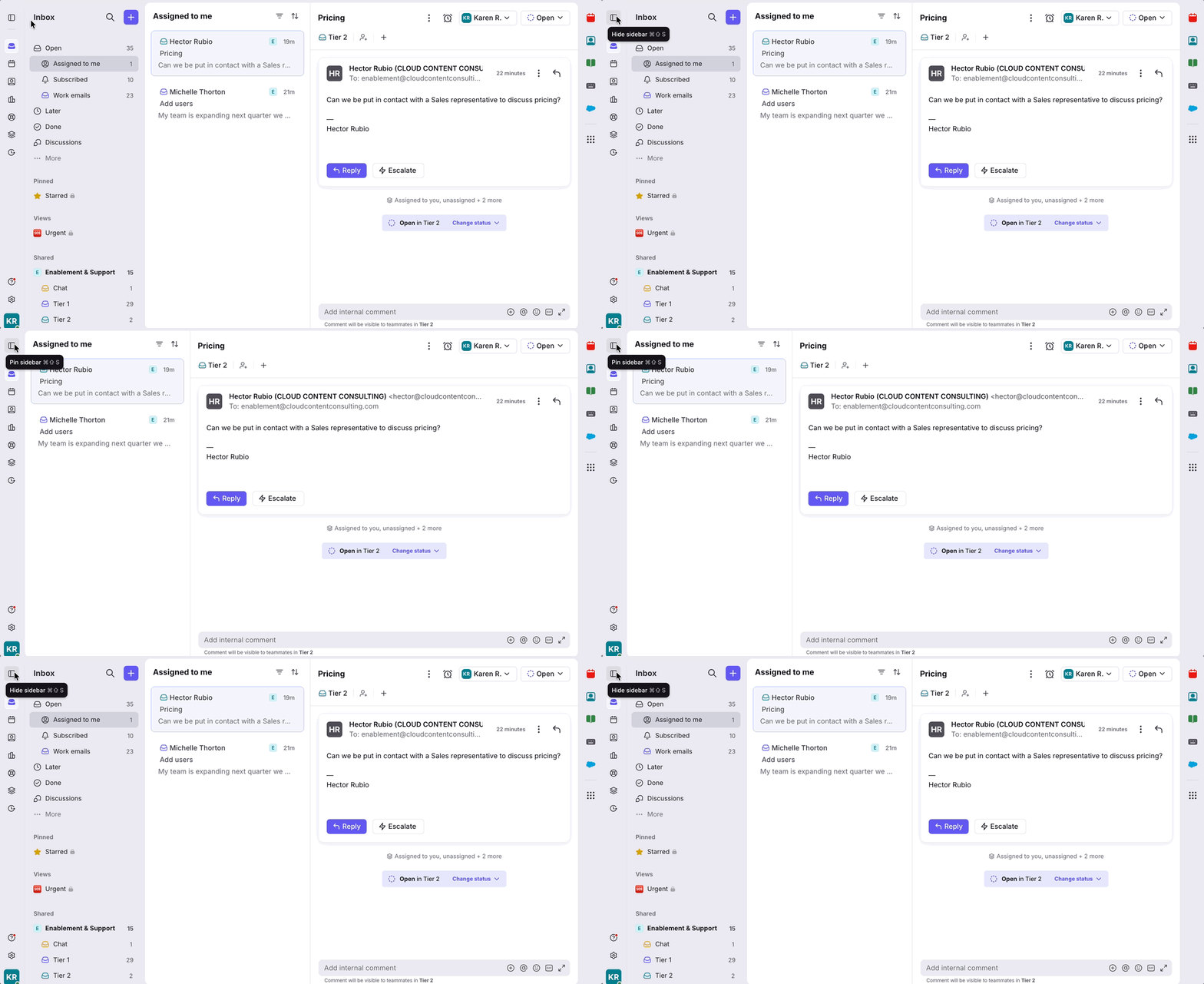
Collapsible sidebar to create more space for reading and replying, with hover-based access to inbox sections
Conversation list updates
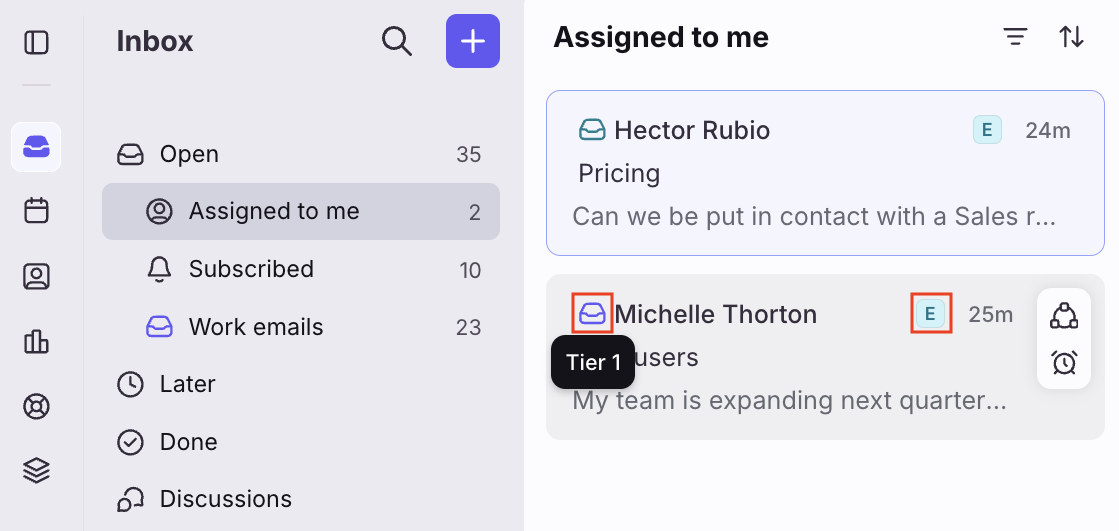
Inbox and workspace indicators to quickly identify where a conversation belongs
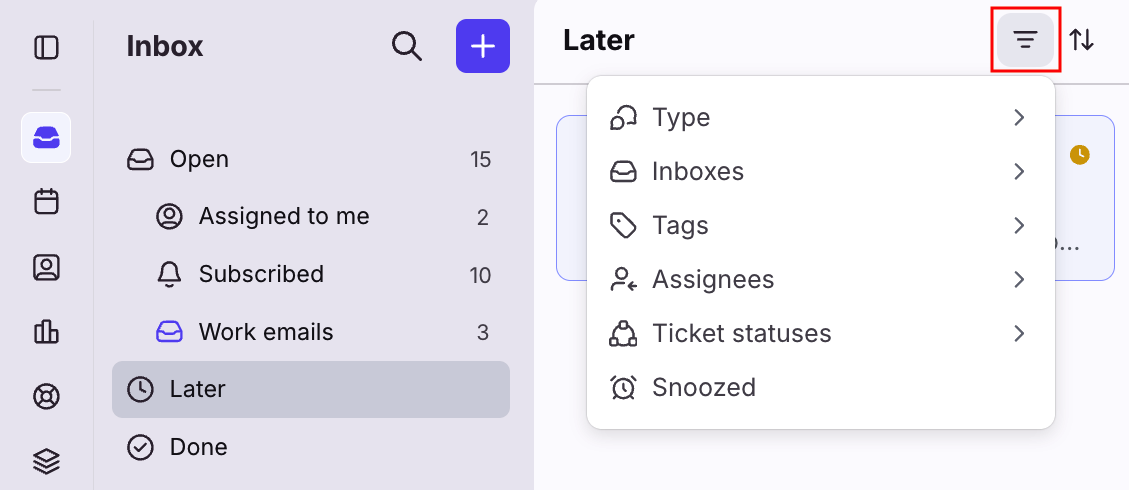
Filter controls to focus on specific inboxes, tags, or attributes
Flexible message timestamps, including relative time, exact time, and time goals
Conversation header updates
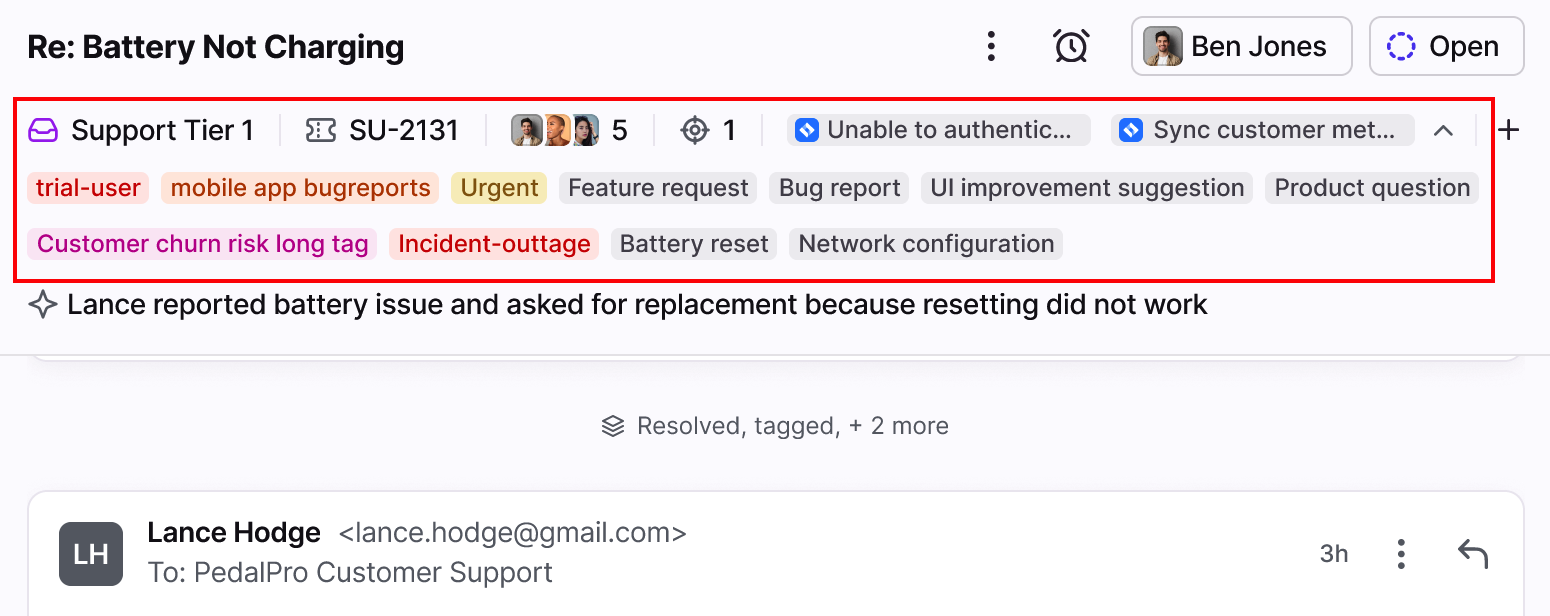
Expanded header view displaying all tags and application objects, with up to three lines of visible information
How to Enable the New Experience
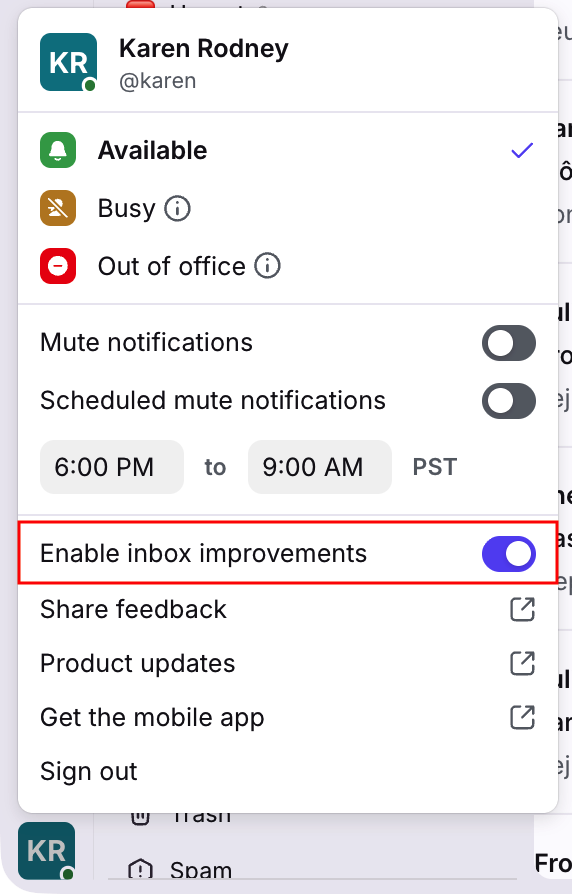
To enable the updated inbox design, click your account icon in the bottom left corner and toggle on Enable inbox improvements. You can switch back and forth between experiences at any time until February 9, 2026, when the new design will become permanent.
Knowledge Base Updates
New Knowledge Base Article: Providing Updates During an Outage – GOCare OutageIQ
A new OutageIQ Knowledge Base article is now available covering:
Step-by-step instructions for sending outage updates
What happens when subscribers text keywords (including confirmation of outage status)
Best practices for writing clear, helpful updates during an active outage
Additional OutageIQ articles are currently in development and will be released soon.